What actually happens
- Give it the file the bank already gave you. No template to choose. No bank to select from a list. Download the statement from net banking as Excel or CSV and drop it in. It finds the header row itself, so a column order it has never seen still opens. The file you were given is the file it takes.
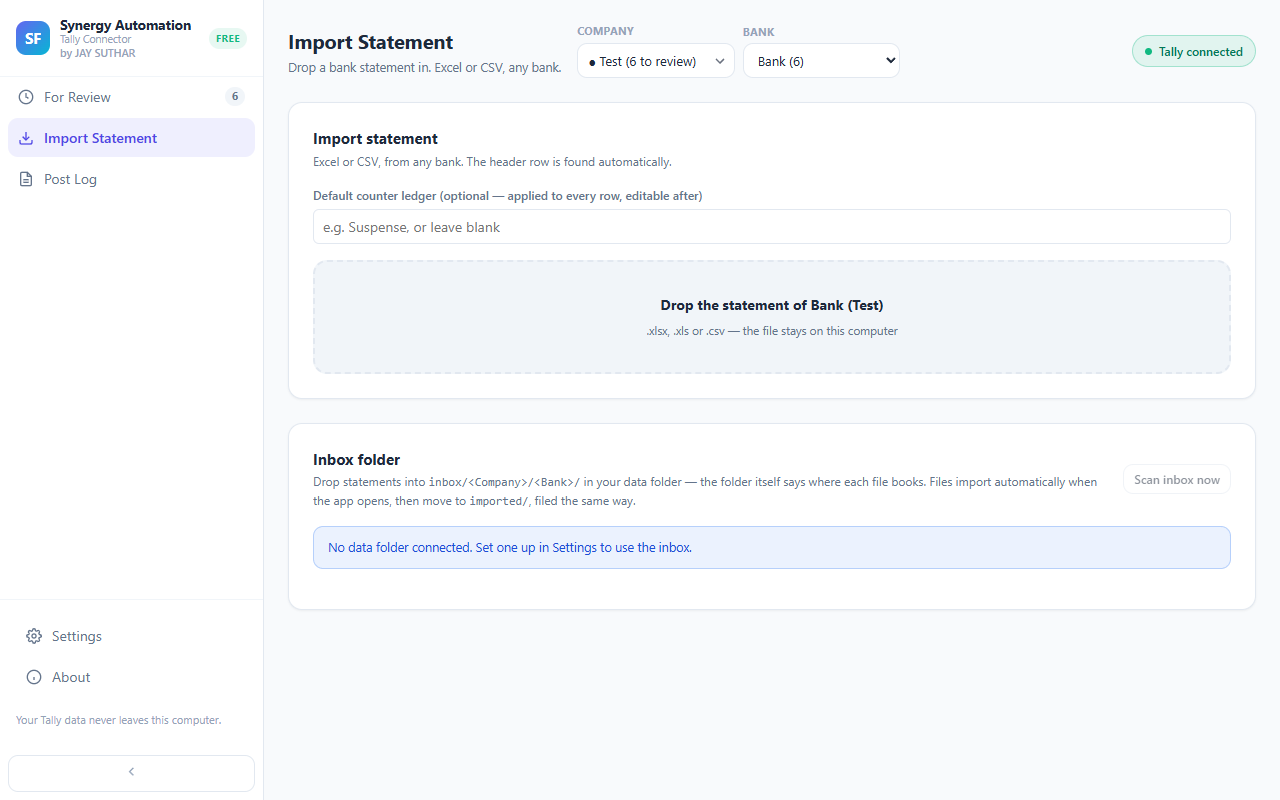
- Say what each entry is, once. This is the part that used to be the whole evening. Every transaction appears in a list with its date, narration and amount. Pick the ledger from a searchable box. Where forty rows are all the same kind of thing — UPI, bank charges, a regular vendor — select them together and set the ledger once for all of them.
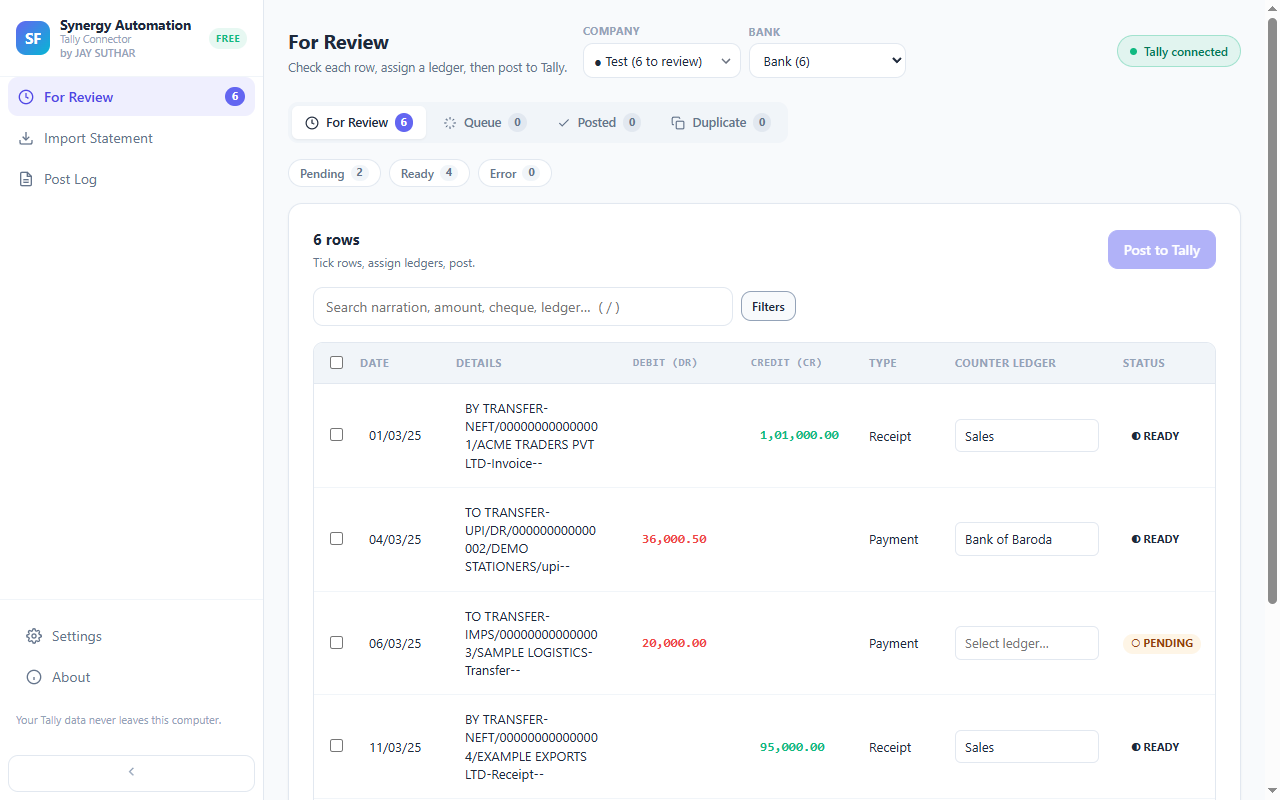
- Work through a long statement without losing your place. Three hundred rows stop being three hundred rows. Show only what is left to do, or only the debits, or only last week, or only amounts over a figure you choose. Clear one group, then the next, instead of scrolling and hoping you did not miss one.
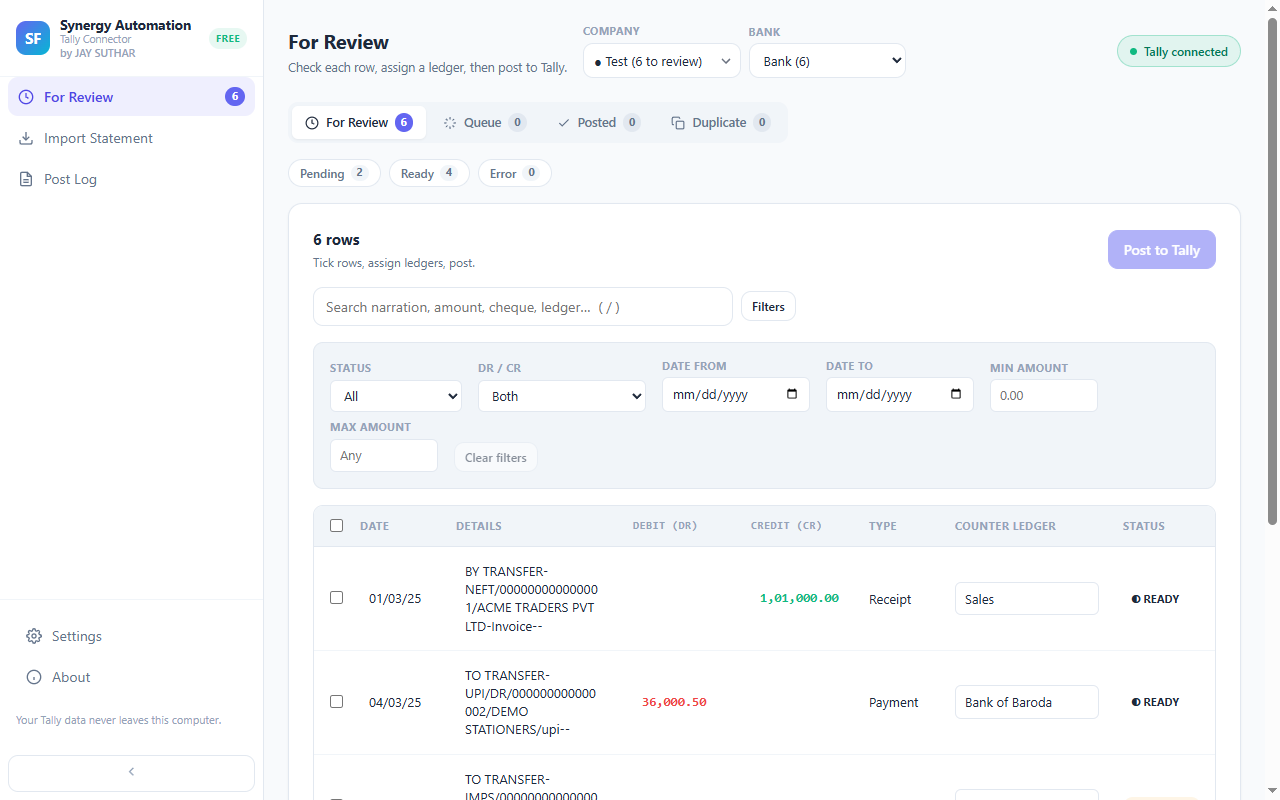
- Post when you are ready, not before. Nothing moves until you say so — and Tally does not even have to be open. Tick the rows you are happy with and confirm. They go into your company as bank vouchers. If Tally is closed at that moment nothing is lost: the rows wait in a queue and post by themselves the next time it opens. Leave anything you are unsure about and come back to it.
- Post the same statement twice and nothing doubles. The one mistake that costs a whole evening to undo. Every transaction is fingerprinted, so a row that is already in Tally will not go in again — not if you re-import the same statement, not if the date ranges overlap, and not if you move to a different computer. You do not have to keep a note of where you got to.
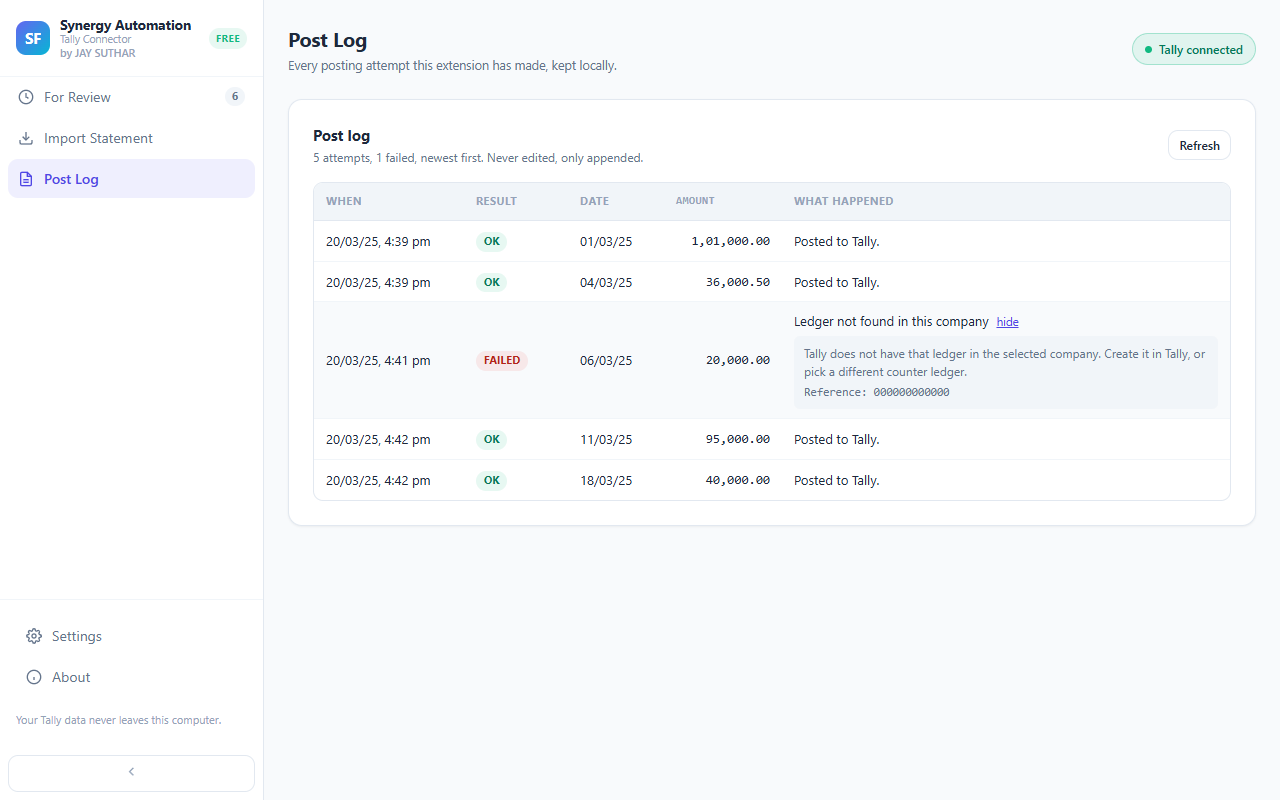
- See what happened, in words. No log file to hunt for in a program folder. Each posting is recorded in plain language on your own computer — what went in, and anything that did not, with the reason. You can check the work without opening Tally to look for it.
Try it on this month's statement
Free, no sign-up, and nothing is uploaded — the statement is read on your computer and the entries go into the Tally running on it.
Add to Chrome — FreeTakes about a minute to installWhat it does that a file cannot
- Any bank, no template. The header row is read out of your own file rather than matched against a list, so a layout nobody has seen before still opens. There is no bank to select and nothing to configure first.
- The same entry cannot go in twice. Not if you import the same statement again, not if two downloads overlap, and not if you move to a different computer. This is the mistake that takes an evening to unpick, and it is designed out.
- It works with Tally closed. Rows queue and post themselves when Tally next opens. You are not held hostage to having the right window in front of you.
- Nothing is written until you say so. Edit the date, the narration, the amount or the ledger on any row first. Leave a row blank and code it later.
- One decision covers forty rows. Filter by status, Dr/Cr, date range or amount, select the group, set the ledger once.
- Errors in one line of English. When Tally refuses something the log says why, on your screen — not in a text file inside the program folder.
- Your statement never leaves the computer. It is read where it sits. Chrome shows you what an extension may reach before you install it; look at that list for this one and you will see your own Tally and nothing else.
- Free, with nothing behind it. No subscription, no charge per entry, no charge per company, and no trial that expires into a paywall.
What you are not doing any more
- Building an XML file and hoping Tally accepts it.
- Opening Tally's Import Data screen at all.
- Finding out from a text file in a program folder that the import did nothing.
- Keeping a note of which date range you already posted.
- Retyping a narration you have already typed forty times this year.
When something does not post
It tells you, on screen, in words. The usual reasons are a ledger that does not exist in the company yet, or a date outside the period the company is open in — both are quick to fix, and both are covered in Tally import errors and how to clear them.
Questions
What if Tally is closed when I post?
Nothing is lost. The rows are queued and go in by themselves as soon as Tally is open again with that company loaded. You do not have to be sitting there when it happens, and you do not have to start the statement over.
What if my bank is not on any list?
There is no list. The header row is read from your file, so a bank with an unusual column order still opens. Any bank that gives you an Excel or CSV statement works.
My statement is a PDF. Can I use it?
Not directly — it reads Excel and CSV. Most net banking portals offer an Excel or CSV download next to the PDF one, and that file is always the better one to use, because a PDF has to be converted and a conversion can quietly get a figure wrong.
Can I do half now and half later?
Yes. Tick only the rows you want and post those. The rest stay in the list waiting for you, and nothing you have not ticked goes anywhere.
How long does a month of one account take?
That depends on how many transactions the account has and how many of them repeat. The work is deciding the ledger for each kind of narration; once a kind is decided, setting it on every matching row is one action rather than one per row.
Get your evening back
Free, and it works with the TallyPrime already on your computer.
Add to Chrome — FreeNot affiliated with, endorsed by, or sponsored by Tally Solutions Pvt Ltd. “Tally” and “TallyPrime” are trademarks of Tally Solutions Pvt Ltd, used only to indicate compatibility.